For iPhone · Coming soon to the App Store
SleepHole
Sleep on time, grow a town
Start a building when you go to bed. Let your phone rest. Wake up to a finished house. Night by night, a small town grows.
No account. No ads. No tracking.
iPhone (iOS 18 or later), in English and Slovak
A look inside
-
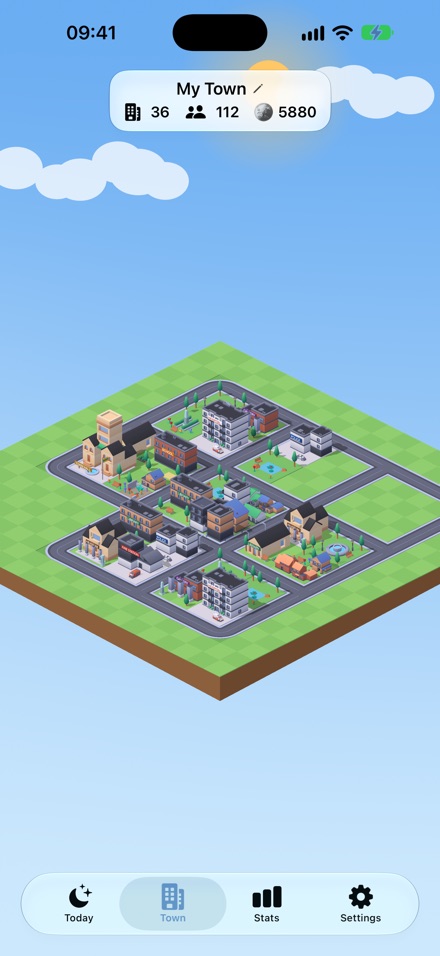
Night by night, a town grows 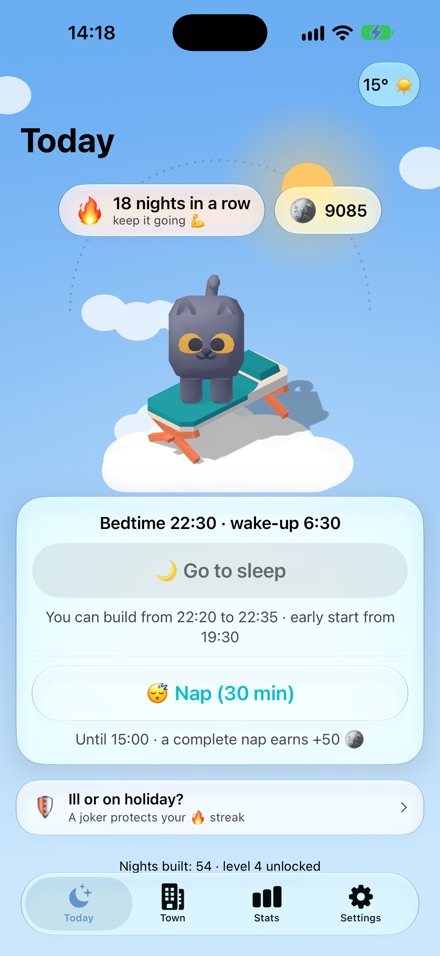
Your evening starts with one tap 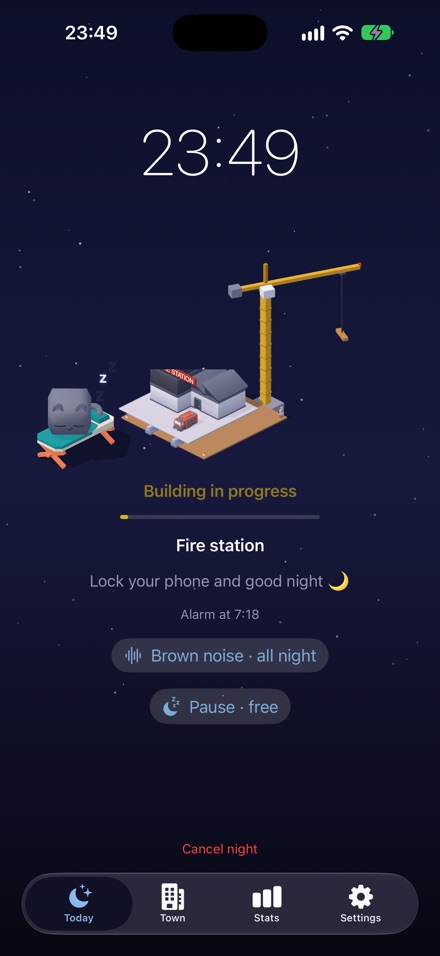
The phone rests while the crane works 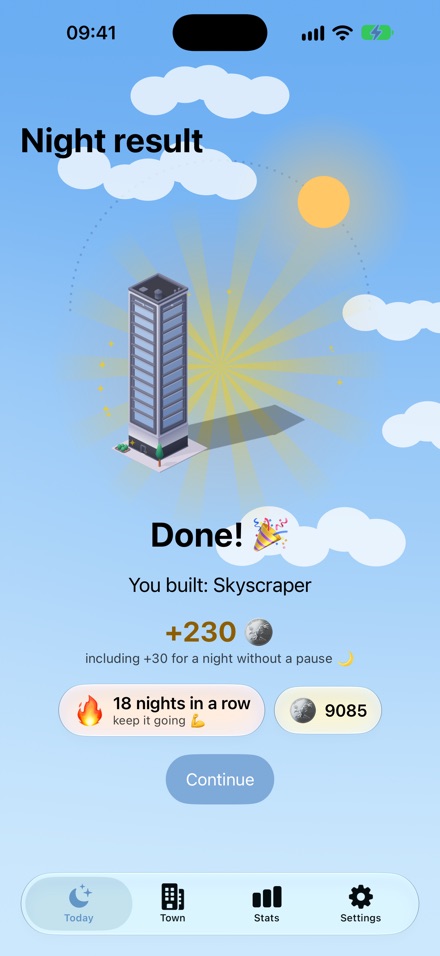
Wake up to a finished building 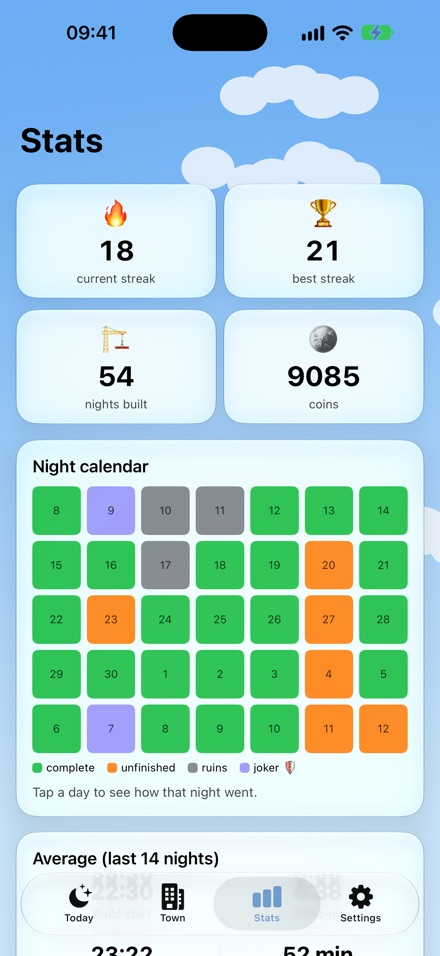
See how your nights went 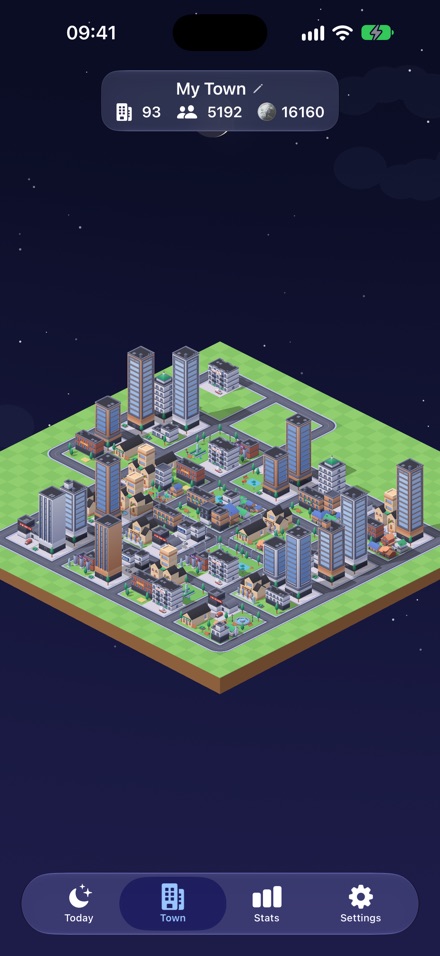
Your town, day and night
How a night works
Set it once
Pick your bedtime and your wake-up time.
Go to sleep
Around your bedtime tap “Go to sleep”. You get a few minutes to finish what you are doing.
Let the phone rest
SleepHole stays open; the screen can be off. If you leave the app, it reminds you and gives you a moment to come back.
Wake up
When the alarm rings, shake the phone or type your wake code. The building stands.
Gentle, not strict
- A look at the lock screen brings only a calm reminder. Strict mode is there for those who want it.
- One pause per night is free, and phone calls never count against you.
- Jokers protect your streak when you are ill or away.
- No shaming. When the app is not sure, it decides in your favour.
More than a timer
- A sleep buddy – a cat that dozes with you.
- Sleep sounds: brown, pink and white noise, rain, and sound stories that are different every night.
- More than ten alarm sounds, from birdsong to a music box.
- An afternoon nap of 30 or 60 minutes.
- Coins, streaks, achievements, and levels that unlock bigger buildings.
- The real sun and moon over your city, and today's weather.
- Statistics for every night. If you allow it, SleepHole reads your sleep data from Apple Health to show when you actually fell asleep.
- Your town on all your devices through your own iCloud.
A sleep app that knows nothing about you
- No account, no ads, no analytics, no tracking.
- Your nights stay on your iPhone and, if you want, in your own iCloud.
- Apple Health data is only read on the device and never leaves it.
- No subscription, no in-app purchases.
Support
Contact
Questions, a bug, an idea? Write to zrebec@zrebec.sk. Every message is read.
It helps to say which iPhone and iOS version you use and what you expected to happen.
Common questions
Does the app have to stay open all night?
Yes. After the setup time SleepHole has to stay the app in front. Lock the phone as usual – the screen can be off. If you leave the app, a reminder tells you how many seconds you have to come back. Phone calls never count against you. Closing the app (swiping it away) counts as leaving it.
Tonight’s building was not finished. Why?
You were out of the app longer than the reminder allows, or the night was cancelled. The building stays as a ruin and a later good night repairs it. If you need the phone at night, use the Pause on the night screen: ten minutes, and the first one each night is free.
I only pulled down Notification Center
On iOS 26 Notification Center over SleepHole counts as leaving the app, the same as opening another app – the reminder comes and the seconds count. To read a message during the night, tap Pause on the night screen first: ten minutes outside the app, and the first pause each night is free.
The reminder did not arrive during a Focus
Open iOS Settings → Notifications → SleepHole and switch on Time Sensitive Notifications. While that switch is off, the Today screen shows an orange triangle.
Will the alarm ring in silent mode?
Yes. The app’s alarm rings with the ringer switched off. On iOS 26 or later SleepHole can also set a backup system alarm that rings even if iOS closed the app during the night – allow it when the app asks.
In the morning shake the phone, or type the code from Settings → Morning confirmation.
I am ill or away
Tap “Ill or on holiday?” on the Today screen. A joker protects your streak: the bronze one is free once a month, the silver and the gold one cost coins. If you simply miss a night, this month’s bronze joker is used by itself.
I want to go to bed earlier today
From three hours before your bedtime the button reads “Go to sleep early today”. The night counts in full and your alarm stays at the usual time.
Changing bedtime and wake-up time
Settings → Schedule. The first change opens a change week: for seven days you can change bedtime and wake-up as often as you like. After it your schedule stays the same for a month (a change sooner costs 2,000 coins). A change never touches your streak.
A new iPhone, or the app was reinstalled
With “Sync through iCloud” on (the default), your town comes back by itself on a device signed in to the same iCloud. You can also use Settings → Backup: “Export backup” and “Restore from backup…”.
Apple Health shows no sleep data
Switch on “Show when you fell asleep” in Settings and allow reading sleep in the question that follows. The values come from what Apple Health already knows, for example from an Apple Watch. “Read sleep again” loads them once more.
Good to know
SleepHole is not a sleep tracker and gives no medical advice.